How Can We Help?
How to Recover Deleted Emails
Deleted emails are automatically moved to the Trash Folder, where they remain indefinitely, from any email folder associated with a Webmail account.
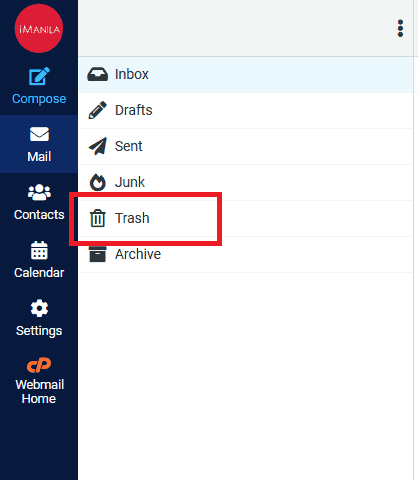
To recover a deleted message, open your email account via Webmail and select Trash folder.
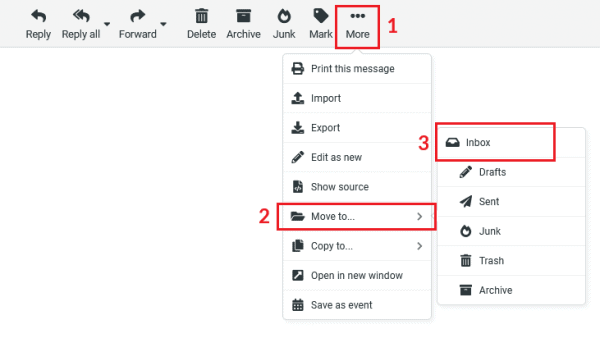
Then, select the message and click on (1) More → (2) Move to… → (3) Inbox:
Once a message is deleted manually from the trash folder, it cannot be restored as it is permanently removed.